Best ghost mannequin apps for clothing photos (2026): three verified options
Compare three verified AI ghost-mannequin tools, understand their billing limits, and decide when a photographed two-shot composite is the better workflow.
Photoroom, Pixelcut and WearView are worth shortlisting for AI ghost-mannequin images because their official pages describe generating the hollow-garment effect, rather than merely accepting a ghost-mannequin photo as an input. Choose between their documented workflows, then compare each output with the real garment; this article is not a measured quality ranking.
What counts as an actual ghost-mannequin output?
A clean flat lay, a background-removed garment and a generated person wearing clothing are different outputs. None automatically becomes a ghost-mannequin image because the input filename contains the word mannequin.
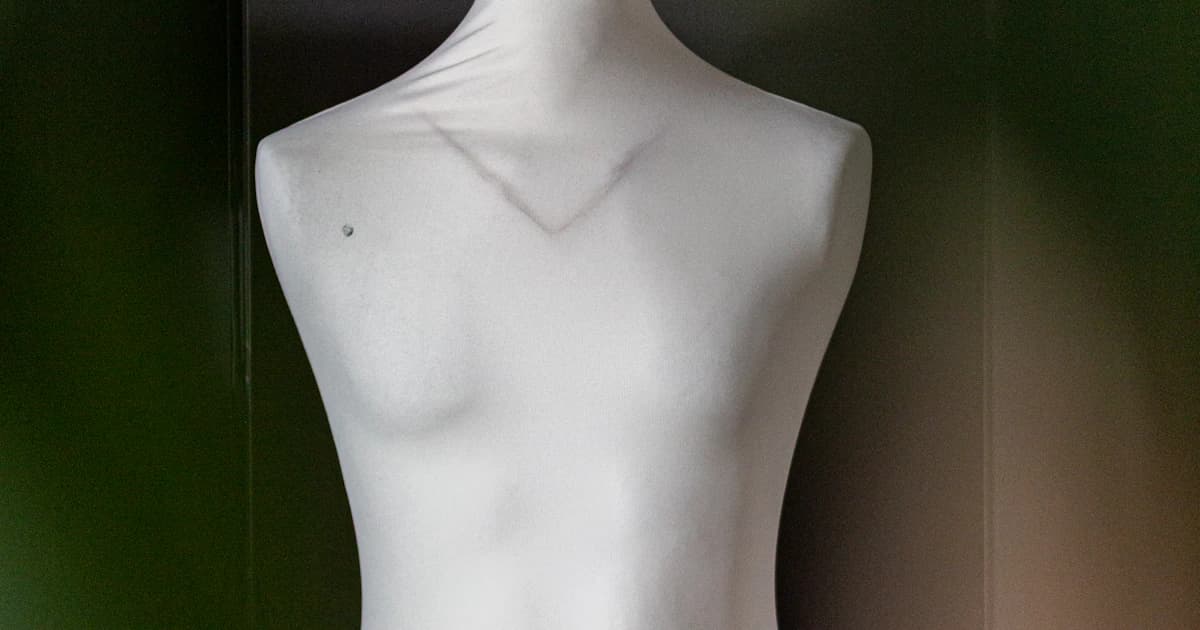
For this comparison, the important output is a garment with three-dimensional-looking volume and a hollow interior, with the body or form absent. A neckline or waistband should have a believable opening rather than becoming a flat filled shape.
We reviewed official tool documentation and pricing on October 21, 2026. CatalogCut publishes the article but is not included in the generator shortlist: Stage does not make this effect. We did not run the three tools on an identical garment set, measure their rejection rates or establish which preserves every fabric best.
A vendor’s claim of perfect stitching, instant results or marketplace acceptance is not evidence that your own garment will pass inspection. The selection below is about documented capabilities and workflow differences.
Which ghost-mannequin tools should I compare?
These are three verified generator workflows, followed by a separate photographic alternative. The billing figures are examples, not equivalent packages or prices per approved ghost image.
| Option | Verified hollow-output workflow | Pricing or access point to check | Main buying question |
|---|---|---|---|
| Photoroom | Dedicated Ghost Mannequin AI tool, with source, quality, size and prompt controls | Requires AI credits; its help refers subscription access to current Pricing | Does its standalone, Batch or Shopify workflow fit your production process? |
| Pixelcut | Ghost Mannequin format in Product Studio, including reconstructed inner areas | Pro displays $8/month equivalent billed yearly, with 600 monthly AI credits | What does the chosen format, resolution and variation count consume? |
| WearView | Invisible/hollow garment generation from flat-lay, hanger or mannequin photos | Pro pricing explicitly gives $49/month for 200 credits; confirm your chosen plan | Does the garment output meet your detail and catalog-framing needs? |
| Manual photographic composite | Combine the photographed outer garment with photographed interior areas | Editing software, source shoot and review work must be budgeted | Are actual interior details more important than a single-photo shortcut? |
A credit allowance is not an approved-image allowance. An output may need correction or rejection, and a higher-resolution setting can consume different credits from another operation. Confirm the specific tool cost before running a whole collection.
When is Photoroom the better starting point?
Photoroom’s Ghost Mannequin help documents an actual generative workflow: provide or select a clothing image, set preferences, generate a result, then review it or open it in the editor. Its quality control affects resolution, credit usage and generation time.
The same help distinguishes three access routes: the standalone AI tool, AI tools in Batch, and the Photoroom for Shopify workflow. Those are useful differences for a seller who wants the effect inside a broader editing process.
Do not infer that every subscription provides identical route access. The help explicitly points to current pricing for subscription tiers and says AI credits are required. A general advertised plan price is not, on its own, proof of a particular Ghost Mannequin entitlement or a fixed number of usable ghost images.
Commercial use is another separate question. Photoroom’s free-account guidance limits Free to personal, noncommercial use. Do not choose a free export for business publication simply because a tool lets you try the effect.
When should I try Pixelcut Product Studio?
Pixelcut’s official Ghost Mannequin page describes more than accepting an existing ghost image. It says Product Studio generates garment volume and rebuilds areas such as the inner collar from a flat or hanger photograph.
Its documented process is to upload the garment, select the Ghost Mannequin format, adjust the scene or prompt if needed, and generate variations. The page lists aspect-ratio controls, resolutions up to 4K and up to four variations. Confirm what your selected account and settings allow rather than assuming all of these are free.
The pricing page displays Pro at an $8 monthly equivalent billed yearly, with 600 AI credits. Confirm the separate monthly-billing offer if you do not want an annual commitment. Model-dependent consumption means those credits should not be converted into a blanket 600-ghost-photo claim.
Its feature page explicitly associates commercial licensing with paid plans. Review the applicable terms and actual output before putting the file into a business catalog. The vendor’s statement that a format suits marketplaces does not override category rules.
When is WearView worth comparing?
WearView’s dedicated ghost-mannequin page explicitly describes the hollow-garment result: volume through shoulders and sleeves, with an open collar and no visible mannequin. It documents garment photos including flat lays, hanger shots and mannequin images as starting points.
That makes it a relevant shortlist entry for this particular output. Its separate on-model offering is not the evidence used to include it here.
The pricing FAQ gives a clear monthly example of Pro with 200 credits for $49. The plan comparison lists Ghost Mannequin, but you should inspect the selected operation and resolution cost before buying capacity for a collection.
We have not adopted its advertised turnaround, cost-saving percentages, testimonials or claims of perfect product fidelity. Use the documented workflow as a reason to evaluate it, then assess your own garment details. A convincing hollow shape can still contain a changed seam or invented label.
Why is accepting ghost photos as inputs not enough?
A fashion tool may take a ghost-mannequin photograph and put that garment onto a generated person. The output is an on-model image, not a new hollow-garment photograph.
Likewise, a background remover can isolate the visible garment without reconstructing the interior area hidden by the mannequin. That can be a useful cutout, but it is not evidence of a ghost generator.
Before adding a provider to your shortlist, look for an official workflow that names and demonstrates the output you need. We did not infer hollow-output generation from general fashion editing, virtual try-on or a list of accepted input types. A longer list built that way would be less useful than three clearly documented options.
When should I use the manual two-shot method instead?
Pixelz’s ghost-mannequin photography guide explains a composite made from two or more photographs. One shows the garment on a body or form; additional shots show interior areas obscured in that view.
For example, photograph a shirt on the mannequin, then capture the inside neckline with the garment arranged so that area is visible. Align and mask the appropriate interior photograph behind the outer garment, remove unwanted parts, and retain a layered working file.
The number of insert views depends on the product and the openings you need to show. A complex garment may need more than a single interior shot. Keeping camera position, scale and lighting consistent makes the images easier to combine.
This route gives you photographed source material for the interior instead of asking a generator to infer it. It still requires careful masking and alignment. It is not automatically faster or cheaper, and this article does not provide a current Pixelz service-price quote.
How do I judge whether the result still shows my garment?
Use a written rejection checklist and compare the output with front, back and interior reference photos. This is a proposed evaluation method, not a report that we tested every app.
Inspect the neckline opening, collar thickness, shoulder shape and sleeve attachment. Check print placement, buttons, pockets, zips, hems and label text. Look for doubled seams, closed openings or interior details that were not actually present.
Also compare what the image implies about fit and structure. A generated hollow shape can suggest a tailored silhouette that the physical garment does not have. Keep measurements and real condition photos available; the effect does not replace them.
The background-removal quality checklist is useful for edges and export review, but add the garment-specific interior checks above. A technically clean mask does not establish that a generated neckline is correct.
Is CatalogCut Stage a ghost-mannequin generator?
No. The CatalogCut ghost-mannequin alternative page explicitly distinguishes Stage’s clean scenes, studio images and on-model shots from the true hollow-garment effect.
Cutout can remove a background while retaining the photographed product pixels. It does not turn an unseen collar interior into a photographed one. If a clean isolated image is what you actually need, the product background remover is a different workflow to consider.
On-model Stage images use Creative mode and redraw the garment, so compare details before publication. The Free Stage allowance also carries a small catalogcut.com mark, and standard generation is 1K. Do not treat that offer as a substitute for a hollow output or a higher-resolution plan from another provider.
What should I budget and verify before publishing?
Budget the source shoot, credits or subscription, editing work and your own review. Use a small representative set before estimating the cost of an entire catalog. The product photography cost calculator can organize a shoot estimate, but it does not quote the three ghost tools or guarantee a number of usable results.
Then check the destination. The marketplace image and AI rules guide distinguishes main-image requirements, source metadata and other disclosure conditions. A vendor’s commercial license does not guarantee marketplace approval.
Retain any provenance required by the source tool’s terms. Do not send an output through a metadata-stripping conversion just because its dimensions look suitable. Inspect the file you will publish, alongside the physical product and its source photographs.
What to do next
Decide whether you need a hollow garment image or a different clean catalog view. If cutouts, flat lays or on-model photos would meet the brief, the ghost-mannequin alternative guide explains CatalogCut’s separate options without presenting Stage as a hollow-garment generator.
Verify the hollow garment instead of the input label.
A shirt that needs volume and a visible interior without a body or mannequin.
- Specify the output
Require a documented hollow-output workflow rather than assuming accepted mannequin inputs prove generation.
- Capture references
Keep front, back and interior photographs or capture insert views for a photographic composite.
- Inspect the interior
Check the generated or composited openings, seams, labels and silhouette against the actual garment.
Official sources
- Photoroom Help: Actual Ghost Mannequin generation, access routes, controls and AI credits
- Photoroom: Subscription pricing and feature-access reference
- Photoroom Help: Free personal-use restriction
- Pixelcut: Actual hollow output, Product Studio format, variations, resolution and paid rights
- Pixelcut: Pro annual-equivalent price and 600 monthly credits
- WearView: Actual hollow/ghost generation from garment inputs
- WearView: Pro $49 USD monthly / 200 credits and Ghost Mannequin plan comparison
- Pixelz: Photographic two-or-more-image ghost composite capture and editing method
- CatalogCut: Stage explicitly does not make the hollow-garment effect; alternative workflows
- CatalogCut: Current live standard 1K and Free Stage mark